
Table of Contents
Understanding Scalability: System Design for Freshers
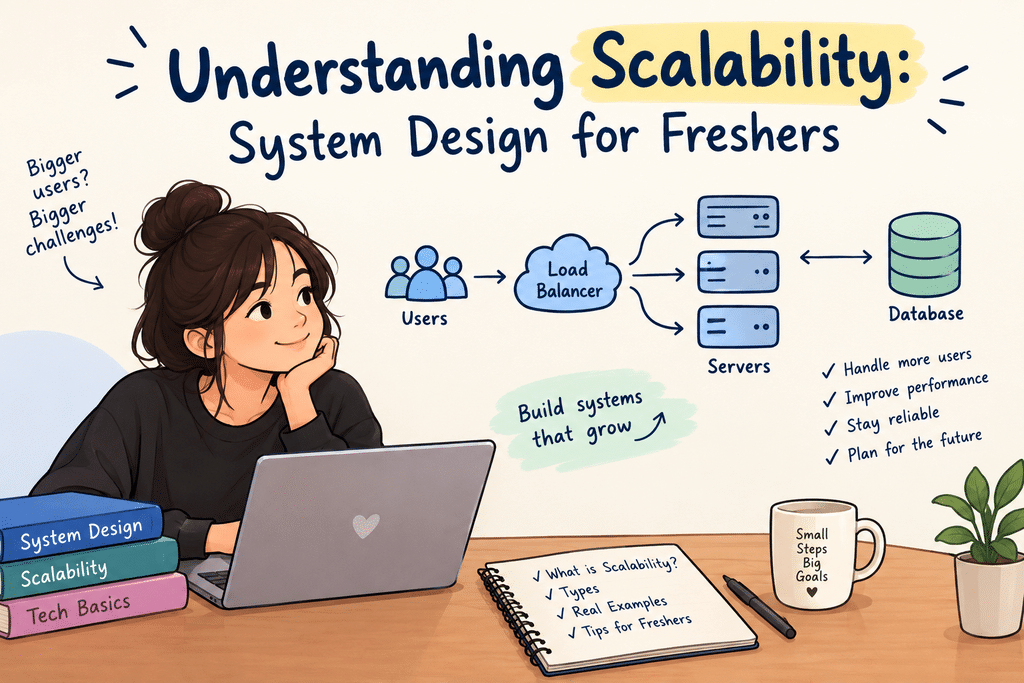
Source: chatgpt
Why scalability matters
An app that runs fine for 100 users can break at 100,000. Scalability is what prevents that.
Picture a small food-ordering app you built for college. It runs smoothly on one server.
Then festival week hits. Orders jump 50 times. Pages start crawling. Payments time out.
Nobody waits for a slow app. They just leave.
This is what system design interviews test. The interviewer wants to see what will break first as traffic grows.
You don’t need years of experience. You just need a few core ideas.
What scalability actually means
Scalability is the property of a system to handle a growing amount of work. One definition for software systems specifies that this may be done by adding resources to the system. A system is scalable if it keeps working well as more people use it, without needing a complete rewrite and without the bills spiraling out of control. “More load” can mean different things: more users, more requests every second, more stored data, or more complicated queries.
Vertical vs horizontal scaling
There are two basic ways to add capacity: make one machine bigger, or add more machines.
Vertical scaling (scale up) means giving your server more CPU, RAM or disk. It is simple because nothing in your code changes. But every machine has a ceiling, big machines get expensive fast, and one machine is still one point of failure.
Horizontal scaling (scale out) means running many ordinary servers side by side and sharing the work between them. It has no hard ceiling and survives the loss of a single machine. The price is complexity: you now need a way to split traffic and keep data consistent across servers.
| Vertical (scale up) | Horizontal (scale out) | |
| How | Bigger machine | More machines |
| Code changes | Usually none | Often needed |
| Upper limit | Hardware ceiling | Practically very high |
| Failure impact | Single point of failure | One node lost, others continue |
| Cost curve | Rises steeply | Rises roughly linearly |
| Good for | Early stage, quick fixes | Large, growing systems |
A sensible rule for freshers: start vertical because it is cheap and fast, and move horizontal once you hit the limits or need better fault tolerance. Most real systems end up doing both.
Load balancers and stateless servers
Once you have more than one server, a load balancer decides which server handles each incoming request. Think of it as the person at a restaurant entrance who sends each group to a free table instead of letting everyone crowd one waiter.
Common ways a load balancer picks a server:
- Round robin: send requests to servers in turn, 1, 2, 3, 1, 2, 3.
- Least connections: send the next request to the server with the fewest active requests.
- IP hash: the same client IP always lands on the same server.
A load balancer also checks your servers regularly.
If one server fails, it stops sending traffic to it. Users never notice the failure.
But there is one common problem.
If a server remembers you are logged in, your next click might go to a different server. That server won’t know who you are, and you will be logged out.
The fix is simple.
Don’t let servers remember users. Keep session data in one shared place like a database or Redis.
Now any server can handle any user. You can add or remove servers anytime.
Caching and CDNs
Caching is the cheapest way to make a system faster.
You store the answer to an expensive question. You don’t compute it again.
Reading from memory takes microseconds. A database query takes milliseconds. So a cache hit saves a lot of work.
Caching has two tricky parts.
First, cached data can become stale. Fix this with a time-to-live (TTL) or by deleting the entry on update.
Second, cache space is limited. It needs an eviction rule like LRU (least recently used) to decide what to drop.
A CDN (content delivery network) applies the same idea at a global scale. It keeps copies of static files such as images, CSS and videos on servers close to users. A visitor in Mumbai gets the image from a nearby location instead of from a data centre on another continent, which lowers latency and takes load off your servers.
Message queues and async work
Not every task needs to finish before you reply to the user, and moving slow work out of the request path keeps your app fast under load. When someone places an order, you must save it right away. Sending the confirmation email, generating an invoice PDF or updating analytics can happen a few seconds later.A message queue (for example RabbitMQ, Apache Kafka or Amazon SQS) makes this possible. The web server puts a message such as “send email for order 4521” on the queue and responds to the user immediately. Separate worker processes pick messages off the queue and do the job in the background.
Queues help in three ways:
- Smoothing spikes: a sudden burst of work waits in the queue instead of crashing the system.
- Independent scaling: if emails pile up, you add more email workers without touching the web servers.
- Fault tolerance: if a worker dies, the message stays in the queue and another worker retries it.
One warning: a message may be delivered more than once, so design workers to be idempotent, meaning that running the same job twice has the same effect as running it once. Sending the same email twice is annoying; charging a card twice is a serious bug.
Key takeaways and where to go next
Scalability is a habit of finding and removing the next bottleneck, not a single technology. Keep these points in mind:
- Scale up first for simplicity, scale out when you need headroom and fault tolerance.
- Keep servers stateless so a load balancer can send any request anywhere.
- Cache what is read often, and put static files on a CDN.
- Scale the database in order: indexes, then replicas, then sharding.
- Move slow work to queues and make workers idempotent.
- Always state trade-offs, because there is no free lunch in system design.
To practise, pick a familiar product such as a URL shortener, a chat app or a ride-booking service, and sketch how it would grow from 100 users to 10 million using the stages above. Then read about consistent hashing, rate limiting and monitoring to deepen each area.
References
[1] Amazon Web Services, “Performance Efficiency—AWS Well-Architected Framework.” [Online]. Available: https://docs.aws.amazon.com/wellarchitected/latest/framework/performance-efficiency.html
[2] Google Cloud, “Patterns for Scalable and Resilient Apps.” [Online]. Available: https://docs.cloud.google.com/architecture/scalable-and-resilient-apps
[3] Amazon Web Services, “Getting Started with Amazon CloudFront.” [Online]. Available: https://aws.amazon.com/cloudfront/getting-started/
[4] RabbitMQ, “RabbitMQ Tutorials.” [Online]. Available: https://www.rabbitmq.com/tutorials