

Nowadays, webinar hosting has become a crucial way to connect and convey something to your audience. Although traditional seminars have their value and charisma, webinars offer many distinct advantages in today’s digitalized world. Webinars allow a wider reach, ideal for global teams and international clients; there is no boundary to business.
It can be done at any time; it serves utmost convenience like that. Due to no time constraints, there are more people available at a given time, and it can be recorded for later use or to be posted on social media later for promotional purposes. It allows everyone present to interact in fun ways with the help of tools like polls, a Q&A box, and breakout rooms; everybody gets a chance.
And all this happens without much cost, no venue, no commute expenses, just internet and digital platform expenses. That is why webinars are preferred instead of seminars and are now a core part of virtual event management strategies.
How to organize a webinar?
In order to organize a successful webinar, numerous steps need to be followed; one of the most vital steps is being aware of its objective and purpose. In most webinars, people lose track of the purpose and get diverted. So, ensure the primary goal of your webinar is met.
After that, concentrate on identifying the right speaker who is aware of your goal and can relate to the audience, and the right resources needed. Then comes taking care of your audience and ensuring.
You learn everything about your target audience. Know what your audience requires and is embracing from this webinar. You can do this by organizing some polls before the webinar and making it a fascinating event for the audience.
Do not miss concluding the webinar with a Q&A session so that the participants leave with a clear mind. Promote the webinar via social media and create a WhatsApp group for regular updates and a Google form for registration for smooth webinar hosting operations.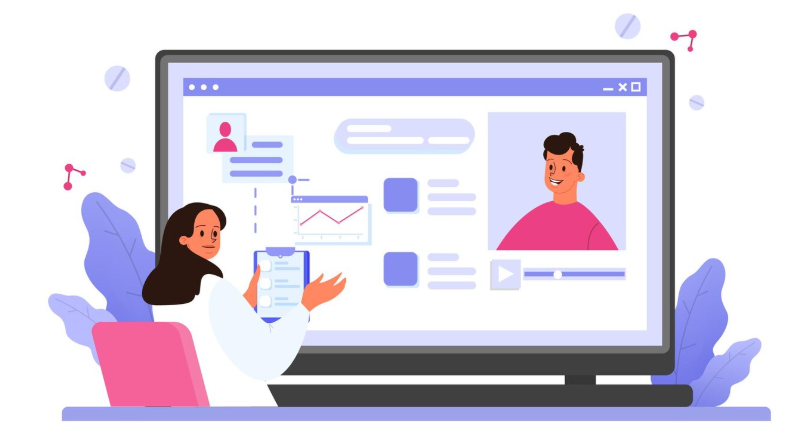
How to host a webinar?
It is not just about speaking and sharing your expertise; it is not just that. It is to leave the audience with a good impression by making it an entertaining and professional experience. Here is how to do it successfully:
Test your Technology Beforehand
Webinar hosting can prove to be quite troublesome because of technical issues, so ensure you have a proper internet speed, microphone, and camera. You should have adequate lighting and sit in a quiet area. If you are using a new platform, it is advisable to test it first so that no time is wasted on arrangements during the webinar.
Keep a backup device handy in case anything goes wrong.
Get your Audience Engaged Early
Greet warmly each person who joins the webinar. Begin with an icebreaker question or just a brief story or real-life experience, so the audience will feel connected and relatable. Then begin the presentation with an introduction of what is to come next.
Provide Valuable and Comprehensible Content
Your voice says a lot about you when you conduct webinars. Instead of speaking too slowly or too quickly, speak consistently. Avoid using technical jargon since it can make communication difficult. If you must use it, be sure to explain it to your audience.
Don’t get distracted from the subject and just make the most relevant points. Use presentational and concise slides that are visually engaging, and use live examples to keep your listeners intrigued. Also, continue to engage with the audience between presentations so that the session is not tedious.
Use Interactive Elements
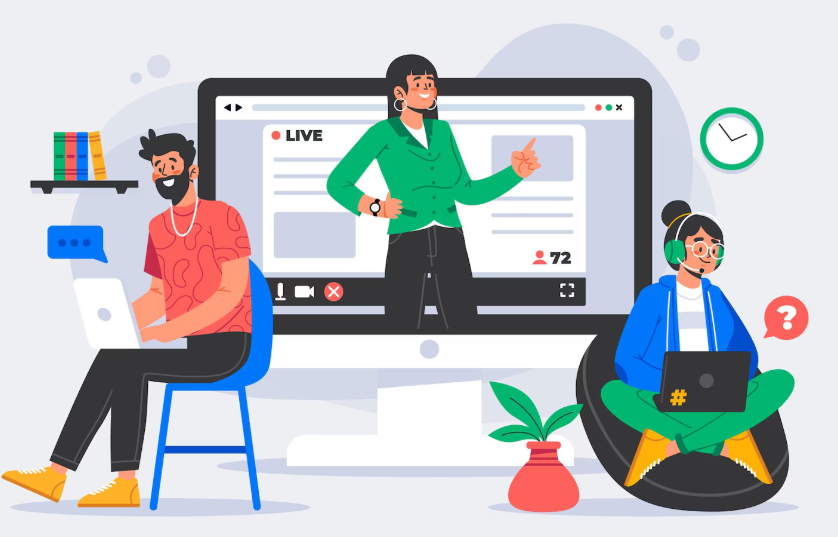
Have polls, quizzes, entertaining game sessions, speedy feedback sessions and Q&A sessions and make the webinar a conversation rather than a speech. Refer to the chat box periodically and respond to the questions in the chat box so that the audience who cannot speak do not feel neglected.
It improves virtual event management.
Manage Time Properly
Don’t neglect the time limit, don’t extend the webinar too long, keep it within the limit that was already determined, and keep it for 2 hours.
Be considerate of both your time and the audience’s time. Use a stopwatch or a volunteer so that you can keep yourself on track for the time.
Conclude with a Powerful Ending
Provide a summary of the entire webinar by outlining all the important topics that were discussed, providing any resources that were discussed, and outlining the next actions that participants can take. Encourage participants to join future webinars and email you for further similar issues.
Conclusion
Plan strategically, present confidently, make it interactive and solicit feedback to make any webinar hosting a success. A successful webinar can be achieved with the correct platform, speaker, and strategies. You can create powerful, captivating webinars that entice people to return for more by using these pointers about virtual event management and focusing on audience value.
Commonly Asked FAQs:
1. What is webinar hosting and why is it important?
Webinar hosting refers to the process of planning, managing, and delivering live virtual presentations to an audience using an online platform. It is important because it allows businesses, educators, and organizations to connect with people globally, share knowledge
generate leads, and strengthen brand authority without the limitations of physical space or geography. Effective webinar hosting builds trust and engagement while keeping costs low compared to in-person events.
2. How do I choose the right platform for webinar hosting?
The right platform depends on your goals and audience size. Consider whether you need features such as polls, breakout rooms, screen sharing, or Q&A integration. Popular platforms like Zoom, Microsoft Teams, and Google Meet are excellent for small-to-medium groups,
while advanced solutions like GoToWebinar, WebinarJam, and Demio are better suited for larger professional events. Prioritize reliability, ease of use, and analytics capabilities so you can track audience participation and follow up effectively.
3. What are the must-have tools for professional webinar hosting?
For smooth webinar hosting, you need a stable internet connection, a high-quality microphone, and a webcam with clear resolution. Good lighting is essential so participants can see you clearly, and noise-free surroundings help maintain focus.
Use presentation software like PowerPoint or Canva for visually engaging slides, and keep a backup laptop or device ready in case of technical glitches.
4. How do I prepare my content for a webinar?
Start by defining a clear objective — what you want your audience to learn or achieve. Create a concise, visually appealing slide deck with bullet points instead of long paragraphs. Incorporate examples, visuals, and case studies to keep your audience engaged.
Rehearse your content multiple times to ensure smooth delivery and to stay within the allotted time. Effective webinar hosting depends heavily on preparation.
5. How do I keep my audience engaged during webinar hosting?
Begin by greeting attendees warmly and introducing the agenda. Use interactive elements like polls, quizzes, or quick opinion questions throughout the session. Ask for feedback via chat or Q&A to make participants feel included.
Sharing relatable stories and encouraging live interaction prevents the session from feeling like a one-way lecture. Engaged participants are more likely to stay until the end.
6. How long should a webinar be?
The ideal length for a webinar is usually 45 to 90 minutes, depending on your topic and audience engagement level. Too short, and you may not cover the topic sufficiently.
Too long, and you risk losing your audience’s attention. Good webinar hosting involves time management, so use a timer and stick to the planned schedule.
7. What common mistakes should I avoid in webinar hosting?
Avoid overloading slides with text, speaking too fast, or neglecting to check your tech setup beforehand. Another mistake is ignoring the audience — webinars are meant to be interactive. Failing to leave time for Q&A or dragging beyond the promised duration can frustrate participants.
Neglecting promotion is another common pitfall; even the best webinar cannot succeed if no one shows up.
8. How can I promote my webinar effectively?
Promote your webinar using multiple channels — email newsletters, LinkedIn, Instagram, and Twitter posts work well. Create an attractive registration page with details about the topic, speakers, and key takeaways. Sending reminder emails a day and an hour before the event can significantly improve attendance.
Promotion is a key part of webinar hosting because a well-planned event needs an audience to succeed.
9. What role does design play in webinar hosting?
Design plays a crucial role because visually engaging slides keep attention levels high. Use brand colors, readable fonts, and relevant images to create a professional look. Avoid cluttered slides and stick to minimal text.
Consistent branding throughout the presentation enhances credibility and reinforces your organization’s identity.
10. How do I handle technical issues during a webinar?
Stay calm and have a backup plan. If audio or video fails, quickly communicate with the audience through chat to keep them informed. Having a co-host or technical assistant can help troubleshoot problems while you focus on presenting.
Testing all equipment before going live and having a secondary device ready can minimize disruptions during webinar hosting.
11. How can I improve audience retention during long webinars?
Break the session into smaller segments with short interactions or Q&A rounds in between. Use storytelling, live demos, or short video clips to re-engage participants. Switching speakers midway can also refresh the audience’s attention.
Webinar hosting is about creating a dynamic experience, not a monotonous lecture.
12. Should I record my webinars?
Yes, recording is an excellent idea. It allows those who could not attend live to watch later, and you can repurpose the content for social media, email campaigns, or training materials.
Many webinar hosting platforms have built-in recording options, making it easy to create an on-demand version of your event.
13. What should I do after the webinar ends?
Follow up with participants by sending a thank-you email, a replay link, and any promised resources. Request feedback through a short survey to learn what worked well and what
could improve next time. Good follow-up strengthens relationships and increases the likelihood that participants will join future webinars.
14. How do I select the right speakers for webinar hosting?
Choose speakers who are knowledgeable, engaging, and relatable to your audience. The right speaker should be comfortable presenting online, able to answer questions confidently,
and willing to interact with attendees. A skilled speaker can transform a standard session into an engaging, memorable experience.
15. How do I make my webinar more interactive?
Use tools like live polls, word clouds, and Q&A features to involve your audience. Encourage participants to turn on their cameras during smaller group sessions or breakout rooms. Consider running short quizzes or giveaways to keep energy levels high.
Interaction helps build a two-way connection, which is essential in webinar hosting.
16. How important is pacing during a webinar?
Very important. Speak clearly and at a steady pace so everyone can follow. Allow pauses for questions and avoid rushing through slides. Proper pacing ensures participants can absorb
the content and stay engaged from start to finish.
17. What metrics should I track after webinar hosting?
Key metrics include registration numbers, attendance rate, engagement level (poll participation, chat activity), drop-off points, and post-event feedback. These metrics help you measure success and refine your approach for future webinars. Tracking conversions,
such as sign-ups for follow-up sessions or product demos, can also indicate business impact.
18. Can small businesses benefit from webinar hosting?
Absolutely. Webinar hosting is one of the most cost-effective ways for small businesses to reach a wider audience, showcase expertise, and build trust with potential customers.
With minimal infrastructure costs, small businesses can run professional events that rival large competitors’ marketing efforts.
19. How can I make my webinar stand out?
Offer unique insights, invite an industry expert as a guest speaker, or include a hands-on live demo. Create an appealing title and registration page to attract attention.
Personalize invitations and send tailored reminders to maximize attendance. Innovative webinar hosting techniques set your event apart from generic sessions.
20. What mindset should hosts have when conducting a webinar?
Approach webinar hosting with confidence and a focus on providing value rather than simply delivering information.
Be approachable, authentic, and ready to adapt to your audience’s reactions. Treat the event as a conversation, not a monologue, and aim to leave participants inspired and informed.
References
[1] “How to plan webinars”, vfairs.com, [online], available: https://www.vfairs.com/blog/host-a- webinar/
[2] “How to host a webinar” interviewguy.com, [online], available: https://interviewguy.com/how- to-become-a-conference-presenter/