
Essential Tools for Project Management
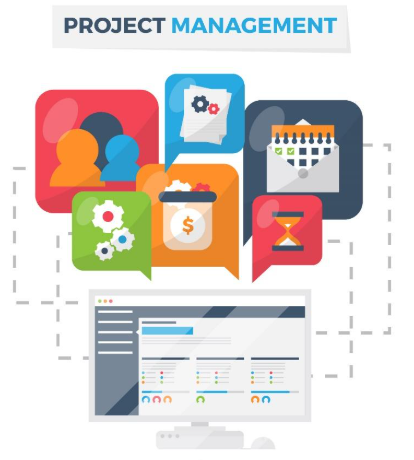
Topics: Project Management Tools
9 Smart Tools Every Student Should Try
Classes, projects, and personal life often end up crashing into each other. It gets messy. That’s why project management apps are a lifesaver. No joke. They’re not just for people in boring offices—students need them, too.
Ever tried organizing a group assignment over text? It’s chaos. One person disappears, another forgets the deadline, and nobody knows who’s doing what. But pop everything into an app, and boom, suddenly things make sense. You’ve got your deadlines, your to-do lists, and way fewer headaches.
Plus, here’s a little secret: learning these tools now is like a cheat code for your career. Tons of jobs use them every day, so if you already know your way around, you’re ahead of the pack. So don’t wait—start using them while you’re still in school. Your future self will high-five you for it.

- Task Management Tools
So, here’s the deal—if you’re not using some kind of task manager, you’re just making life harder for yourself. Trello, Asana, Microsoft Planner—take your pick. You toss your tasks in, hand them out to your crew, and suddenly it’s way easier to see what’s actually happening. No more “Wait, who was supposed to do that?” moments. It’s like giving your project a GPS instead of just wandering around lost.
- Communication Tools
Honestly, if you’re not in at least one group chat with your team, are you even coworkers? Slack, Teams, WhatsApp—whatever floats your boat. They make checking in or dropping those “umm, help?” messages a breeze. Plus, there’s always that one person spamming cat memes (bless them). It’s like a digital break room—sometimes productive, sometimes just pure chaos, but hey, it keeps things interesting and everyone connected.
- File Sharing and Storage Tools
Let’s face it, chasing down files is the worst. With Google Drive, Dropbox, or OneDrive, everyone can grab what they need, whenever they need it. No more “Who has the latest version?” panic—just upload and share. Super easy, super convenient.
- Time Management Tools
Trying to juggle deadlines? Been there. Honestly, Google Calendar is like my personal assistant—minus the paycheck. Todoist and Notion are great too if you’re the type who loves ticking off boxes (I see you, list-lovers). They just keep the chaos in check with handy reminders and all that jazz, so you don’t end up double-booking yourself… again.
- Collaboration Tools
Working with others? Oh, you’re going to want more than endless email chains. Miro and Notion totally save the day here. It’s like putting all your brains on one screen—ideas, notes, and edits happen instantly. Makes group projects way less painful, trust me.
- Project Tracking Tools
Big projects can get out of hand fast. They’re like having digital buddies that remind you what’s due and when. They give you fancy charts, neat reports, and timelines so everyone actually knows what’s going on. You get to look organized (even if you’re pretending).
- Video Conferencing Tools
When you can’t all cram into the same physical space (which, let’s be honest, is most days now), you’ve got Zoom, Google Meet, and Teams—take your pick. Fire one up, see everyone’s faces pop up in their little boxes, and try to actually get something done. It’s basically the next best thing to an awkward conference room, minus the bad coffee.
- Note-Taking and Documentation Tools
I mean, who actually remembers everything from a meeting? Not me! For me, those apps are like sticky notes on steroids—everything’s there, neat and handy. Jot down ideas, stash those important details, and never worry about forgetting who promised what ever again. Saves you from those awkward “Um… what did we agree on?” moments later.
- Data Analysis and Reporting Tools
Honestly, if your project’s buried under a mountain of numbers, Excel, Google Sheets, or Power BI are your best buddies. They take all that messy data and somehow whip it into shiny charts and graphs—almost like magic. Seriously, with these tools, you’ll have everyone fooled into thinking you’ve got things totally under control. And hey, who hasn’t spent a few too many hours wrestling with formulas? We’ve all been there.
Project Chaos? Not Anymore
Look, project management tools? Total lifesavers, not just some random apps you’ll ditch after one class. They’re actually your best buddies when you’ve got back-to-back deadlines or those “fun” group projects (you know the ones). Stuff like Trello or Asana isn’t just about checking off boxes—it’s about learning how to keep your act together and making teamwork way less painful. Turns out, all this organizing and planning? Employees everywhere rely on these tools a lot. So, getting comfy with these tools now means you’re basically prepping for whatever your future job throws at you. Honestly, you’ll thank yourself later.
Commonly Asked FAQs:
1. Why do students need project management tools?
Students often juggle multiple deadlines, group projects, and personal responsibilities. Project management tools for students make it easier to stay on top of assignments, coordinate with classmates, and avoid missed deadlines. They help bring structure to what can feel like academic chaos.
2. What are the main benefits of project management tools for students?
The benefits include better time management, simplified task tracking, improved collaboration, and fewer misunderstandings during group work. These tools also reduce stress and help students develop skills they’ll need in their careers.
3. Which project management tools are easiest for beginners?
For students just starting out, Trello and Google Calendar are excellent. They are visually simple, intuitive, and don’t overwhelm users with too many features. Beginners can manage tasks without feeling lost.
4. How do project management tools for students improve group projects?
They allow each member to see who is responsible for specific tasks, track progress, and share updates instantly. This prevents common problems like duplicate work, forgotten deadlines, or confusion about responsibilities.
5. Are free project management tools enough for students?
Yes, most students can rely entirely on free versions. Tools like Trello, Asana, and Google Drive offer free plans with plenty of features, including task assignments, file sharing, and collaboration boards. Paid versions are rarely necessary for schoolwork.
6. How can project management tools help with time management?
These tools let students map out deadlines on calendars, set reminders, and break larger projects into smaller tasks. They provide a clear overview of workloads, which helps avoid last-minute panic.
7. Can project management tools for students also be used individually?
Absolutely. Even if you’re not working with a team, these tools help organize assignments, schedule study sessions, and track personal goals. Many students find they stay more consistent with their habits when they use these apps.
8. Do project management tools improve academic performance?
Yes, indirectly. By organizing tasks and minimizing stress, students have more mental bandwidth to focus on studying and critical thinking. Consistency in using project management tools for students often translates into higher productivity and better grades.
9. What are the best tools for note-taking and task documentation?
Notion and Evernote are strong choices. They allow students to combine notes, to-do lists, and project details in one space. Notion especially is popular because it doubles as a knowledge base and project manager.
10. How do project management tools help with career preparation?
Employers often expect candidates to know tools like Asana, Trello, or Slack. By practicing with project management tools for students during school, you gain valuable real-world experience that gives you an edge in job applications.
11. Can students use these tools across multiple devices?
Yes, most project management apps are cloud-based. Whether you’re on a laptop, tablet, or phone, your tasks and files sync automatically. This makes it easy to stay updated even when you’re on the move.
12. Are project management tools distracting for students?
Not when used properly. While notifications can sometimes be overwhelming, students can customize alerts or mute non-urgent ones. When managed well, these tools reduce distractions instead of causing them.
13. How do project management tools for students help with large projects?
For big research papers, group presentations, or capstone projects, these tools break the workload into manageable steps. Features like Gantt charts and timelines make it easier to track progress and prevent last-minute cramming.
14. What role does communication play in project management apps?
Tools like Slack, Microsoft Teams, or even built-in chat features allow students to coordinate without relying solely on endless text messages. This centralizes communication and keeps conversations tied to specific projects.
15. Do professors encourage students to use project management tools?
Many professors recommend or even require them for group assignments. Using these tools shows initiative and ensures smoother collaboration, which professors appreciate when grading group projects.
16. What’s the difference between task managers and project management tools?
Task managers focus on simple to-do lists, while project management tools for students provide a more complete system. They integrate scheduling, collaboration, and file sharing, making them better for complex academic work.
17. Can project management tools replace planners and notebooks?
They can, though many students still use both. Digital tools offer reminders and real-time collaboration, while notebooks work well for brainstorming and personal notes. Combining both methods can be powerful.
18. Are there privacy concerns with using project management tools?
Most reputable tools use encryption and secure cloud storage. Students should still be careful not to share sensitive personal details. Choosing trusted platforms like Google Workspace or Microsoft ensures greater security.
19. How do project management tools for students support remote learning?
During online classes, these tools became essential. They allow students to coordinate with teammates virtually, share files instantly, and keep track of deadlines without being physically present.
20. What’s the best project management tool for tech-savvy students?
Notion is often the favorite for tech-savvy students because it offers extensive customization. It can be adapted into a planner, study tracker, or full-fledged project hub. For those who love flexibility, it’s ideal.
21. Can students integrate project management tools with other apps?
Yes, many tools allow integration with Google Drive, Dropbox, Zoom, and email platforms. This saves time by connecting everything into one streamlined workflow.
22. How do project management tools reduce stress for students?
By organizing deadlines, clarifying responsibilities, and storing all project details in one place, students feel less overwhelmed. The sense of control reduces anxiety about forgetting tasks or falling behind.
23. Are there offline project management tools available?
Some apps like Notion and Trello allow offline access, syncing your updates once you reconnect to the internet. This is useful for students who may not always have reliable Wi-Fi.
24. Do project management tools encourage better teamwork?
Yes, they help distribute workload fairly, reduce misunderstandings, and keep everyone accountable. When responsibilities are clearly outlined, teamwork becomes more effective and less frustrating.
25. What’s the most important feature students should look for?
Ease of use. Project management tools for students should be simple enough to learn quickly but powerful enough to handle complex assignments. A user-friendly interface ensures consistent use throughout the semester.

References:
[1] “The Benefits of Using Project Management Tools,” Avila University. [Online]. Available: https://online.avila.edu/degrees/business/mba/project-management/benefits-of-using-project-management-tools/
[2] O. Shchetynina et al., “Trello as a Tool for the Development of Lifelong Learning Skills of Senior Students,” Postmodern Openings, vol. 13, no. 2, pp. 143–167, 2022.
[3] M. Rodriguez et al., “Increasing Student Success Through Effective Task Management,” North Carolina State University Teaching Resources. [Online]. Available: https://teaching-resources.delta.ncsu.edu/increasing-student-success-through-effective-task-management/
[4] “Benefits of Project Management,” Asana Resources. [Online]. Available: https://asana.com/resources/benefits-project-management
[5] “From deadlines to budgets, project management skills have become vital for everyone,” The Guardian, Jan. 31 2025. [Online]. Available: https://www.theguardian.com/it-starts-with-smartsheet/2025/jan/31/from-deadlines-to-budgets-project-management-skills-have-become-vital-for-everyone-heres-how-to-make-it-all-easier
[6] “Project-Based Learning,” Wikipedia. [Online]. Available: https://en.wikipedia.org/wiki/Project-based_learning
Penned by Aliya Altaf Mulla
Edited by Ragi Gilani, Research Analyst
For any feedback mail us at [email protected]
Streamline Your Hiring with Eve Placement’s Custom Assessments
Eve Placement helps you engage, assess, and recruit top talent through tailored hiring challenges that go beyond resumes. From technical quizzes and real-world case studies to psychometric evaluations and audio/video submissions, our platform enables smarter, data-driven hiring decisions. Advanced security features ensure authenticity and eliminate fraud, giving you reliable results. Ready to hire better? Know More.
Mail us at [email protected]