
How to Build a Study Group Chat Using Discord: A Complete Guide?
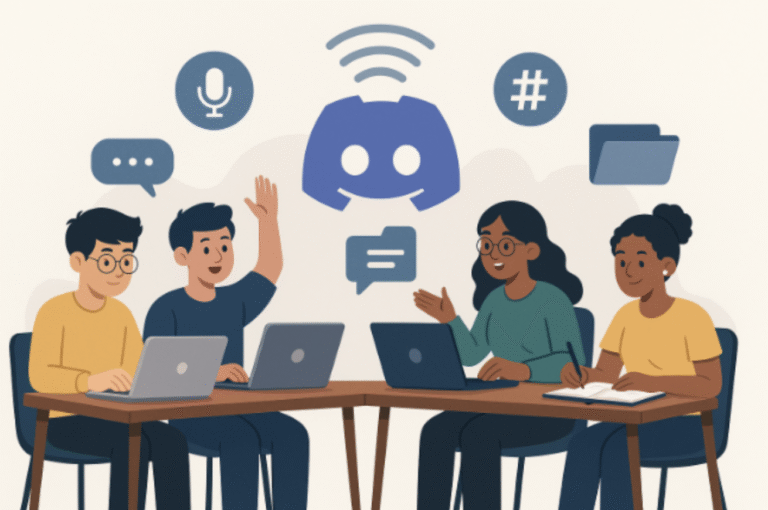
This guide covers how to create a Discord study chat with setup, roles, bots, benefits, and FAQs.
Table of Contents
- Introduction
- Why Choose Discord for Study Groups?
- How to Make a Discord Study Chat in 4 Easy Steps
- Benefits of Using Discord for Study Groups
- Conclusion
- FAQs
Introduction
In the current virtual learning landscape, the skill of communication as a group is important to your academic success. This can come in many forms, but regardless of whether you are studying for a competitive exam, turning in an assignment for university, or collaborating on a group project, the creation of a Discord study chat provides opportunities for improved communication, sharing resources, and accountability. This guide will detail the process to create a study group chat using Discord, one of the top community and virtual learning spaces.
4 Easy Steps to Build an Effective Discord Study Group Chat
Why Choose Discord for Study Groups?
Discord is not just for gamers anymore. As a community that is growing beyond just gaming, Discord provides a user-friendly experience, role management and voice/video call features, and organizational tools such as channels or bots. Because of these features, Discord is now one of the most used tools for online learning communities and online study groups. As per Statista’s 2023 report, Discord has gained over 560 million registered users globally.
How to Make a Discord Study Chat in 4 Easy Steps
• Set Up Your Discord Account
If you don’t already have a Discord account, you can create one at discord.com using your email. Download the desktop app or mobile app for easy access and notifications.
• Create Your New Server
The first step when you log in is to create a new server. Click on the “+” icon in the list of servers and select “Create My Own”. You can select if it is for yourself and your friends, or a club/study group.
Icon: This could be an easily recognizable image or the logo of your study group/club.
• Create Channels in Your Server to Help Make it Easier for the Group to communicate
Next, you will want your server to have text channels and voice channels labeled:
Text Channels:
– general-discussion
– Daily-goals
– resource-sharing
– doubt-clearing
– Voice Channels:
– Live Study Sessions
– Quick Discussions
This type of setup will allow the group to focus on thoughtful communication and minimize distractions or noise while the group navigates through the server.
• Invite People to Join Your Discord Study Chat
You will click “Invite People” and share the direct link generated in the pop-up with the study group. In the link options, you can make the invite have no expiration or limit to how many times someone can use the invite, so the group can have some privacy and exclusivity.
• Set up Roles and Permissions
When setting all this up, keep in mind that there may be different group dynamics with others. I recommend you set up roles like:
– Admin
– Moderator
– Subject Lead, (ex, “Math Head”)
– Member
You can set up your roles by going to Server Settings → Roles → Create Role. Be sure to assign permissions to avoid misuse and disorderliness in the group.
• Consider Study Bots to Support Productivity
Bots are a great function on Discord that can help automate tasks and make your Discord study chat more interactive.
StudyLion – Has Pomodoro timers to help you keep focused.
MEE6 – This one will support you in assigning roles or welcoming members.
CactusBot – Sends reminders and helps track your study time.
You can find and invite bots on top.gg or other bot directories conveniently.
• Study Goals and Routines
Post and track your study goals/commitments in the #daily-goals channel. This is a great way to hold each other accountable and promotes an atmosphere of shared aspirations – two of the main components of great group communication.
Benefits of Using Discord for Study Groups
• Real-time collaboration through voice/video/text
• Organized communication via channels
• Customizable settings for privacy and moderation
• Resource sharing (files, links, PDFs)
• Community feeling that mimics an in-person group study
Conclusion
Building a Discord study chat is not only easy but also incredibly effective in enhancing group communication and collective learning. Whether you’re a student, educator, or mentor, this modern setup empowers everyone in the group to stay connected, focused, and productive.
FAQs
Q1. What is a Discord study chat?
A Discord study chat is a dedicated server with channels for communication, resource sharing, and live study sessions.
Q2. Why should I use Discord for study groups?
Discord offers text/voice/video features, bots for productivity, and structured communication that makes study groups more effective.
Q3. Can I make a private Discord study chat?
Yes, you can set custom invite links, roles, and permissions to keep your study chat private and secure.
Q4. What bots are useful in a Discord study chat?
StudyLion for Pomodoro timers, MEE6 for roles, and CactusBot for reminders and study tracking.
Q5. How do I stay productive in a Discord study chat?
Use Pomodoro bots, set daily goals in a dedicated channel, and hold each other accountable with progress updates.
References
[1] Statista, “Number of registered users on Discord worldwide,” 2023. [Online]. Available: https://www.statista.com
[2] EDUCAUSE Review, “How Community Drives Engagement in Online Learning,” 2021. [Online]. Available: https://er.educause.edu
Penned by Prashansa Rastogi
Edited by Aarshi Arora, Research Analyst
For any feedback mail us at [email protected]
Streamline Your Hiring with Eve Placement’s Custom Assessments
Eve Placement helps you engage, assess, and recruit top talent through tailored hiring challenges that go beyond resumes. From technical quizzes and real-world case studies to psychometric evaluations and audio/video submissions, our platform enables smarter, data-driven hiring decisions. Advanced security features ensure authenticity and eliminate fraud, giving you reliable results. Ready to hire better? Know More.
Mail us at [email protected]