
10 Game-Changing Ways to Stay Organized with Digital To-Do Lists
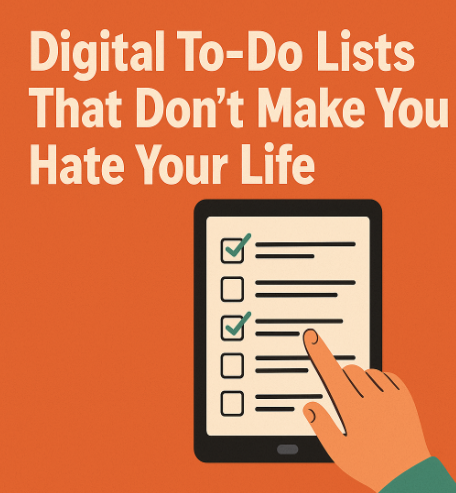
Digital To-Do Lists That Actually Work
Modern maintenance-based techniques promote the training of mechanics, operators, and supervisors, enhancing the technical skills of the workforce and creating an unexpected “Plan C” that we often overlook.
Still, if you’re fed up with pretending that disarray is your style, then welcome.
This is a no-nonsense guide to truly using digital to-do lists that serve you, not just silently judge you.
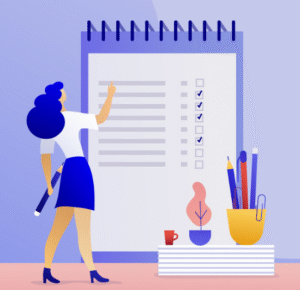
- Stop Treating Your To-Do List Like a Wishlist
Your to-do list isn’t a vision board.
You don’t need to write “learn German” next to “submit assignment by 5 pm.” If it’s not relevant this week, it doesn’t belong on the list. Be honest. In the future you can handle it. Presently you are already exhausted.
- Pick a Tool and Commit. You Are Not Dating These Apps
Notion, Todoist, Google Keep, TickTick – we get it.
They’re all cute. But if you’re bouncing between five apps, you’re not being productive – you’re being chaotic. Choose one productivity tool, set it up properly, and stick to it like you’d stick to your ex’s LinkedIn.
- Use Time Blocks, Not Guilt Blocks
Don’t just make a long list and hope for the best.
Assign specific time slots. “Reply to emails – 4 to 4:30 p.m.” If you go over, adjust. But if your whole list just says “finish everything” with no timeline? Congratulations, you’ve listed a meltdown.
- Make It Ugly First. Enough Later
Forget about aesthetics.
Just brain-dump everything – messy, raw, dramatic. Once you’ve survived the chaos, add colors, markers, and pretend you have your life together. Productivity isn’t an Instagram post. It’s war.
- Exercise Tasks. You Are Not Reinventing Fire
That thing you do every Monday?
Make it a recurring task. Stop redefining “send report” every week like it’s brand new. Set it up once. Let the app remind you. Your brain has better things to do than dwell on imaginary problems.
- Prioritize Like You Are on Fire
Every list needs two sections: “Things I Have to Do” and “Things I Hope to Do If the World Doesn’t Collapse.”
Label them that way if you want. Be honest. It’s your list. No one’s handing out unrealistic expectations. Using productivity tools can help organize these lists and keep you on track.
- Reward Yourself for the Bare Minimum
Crossed off two tasks?
Cool. Get a snack. Watch your app sync across devices? Iconic. Celebrate. These tiny dopamine hits are what will keep you going – not some motivational quote in cursive.
- Sync Across Devices or Regret Later
Your laptop and phone need to talk.
You’ll thank yourself when you check a deadline at 2 a.m. and can log it right down. Or when your power goes out mid-study session and your phone still has the list. Disaster-proof your plans, darling.
- Add Deadlines – But Be Real About It
Still, mark it ‘fake’ if the deadline’s fake. If it’s real, bold it, scream it, star it. Stop crying over missed tasks that were never that important in the first place. Some tasks can stay. Others will ruin your GPA if you ignore them. Know the difference.
- Review It. Or Watch the Chaos Return
Take 10 minutes a day to review and reset.
Cancel what’s done. Push what’s not. Edit what’s no longer relevant. Otherwise, your list turns into a guilt gallery – full of broken promises and ignored dreams.
Conclusion
Since digital to-do lists aren’t just apps—they’re a way of planning and prioritizing that lays out a map for you in an otherwise hectic world. Choosing the right weapon, making sure you work in an order that makes sense, flap a little toxickins and consider small achievements—you can turn your convenient little list into a powerhouse of productivity. Remember that consistency, deadlines with grace and a daily face will turn unmitigated madness into action. Start using these 10 game-changing hacks today, and watch your productivity grow while stress recedes.
Commonly Asked FAQs:
Q1. What are digital to-do lists and why are they better than paper lists?
Digital to-do lists are online or app-based task managers that help you organize, prioritize, and track tasks. Unlike paper lists, they sync across devices, include reminders, recurring tasks, deadlines, and allow collaboration. This makes digital to-do lists more flexible, reliable, and powerful for modern productivity.
Q2. How do digital to-do lists actually improve productivity?
Prioritizing important tasks.
Breaking work into manageable chunks.
Syncing across phone, laptop, and tablet.
Setting deadlines and reminders.
Reducing mental overload by storing tasks digitally.
When used daily, digital to-do lists free your brain from remembering everything and allow you to focus on doing the work.
Q3. Which apps are best for digital to-do lists?
Todoist – Great for goal setting and deadlines.
Notion – Highly customizable for teams and projects.
Google Keep – Simple and integrates with Gmail.
TickTick – Combines habits, calendar, and tasks.
The best choice depends on your needs. If you want simplicity, go with Google Keep. If you want deep customization, try Notion.
Q4. Can digital to-do lists reduce stress?
Yes. Stress often comes from forgetting things or being overwhelmed by clutter. Digital to-do lists reduce stress by organizing your day, sending reminders, and ensuring nothing slips through the cracks. Having tasks sorted by priority makes your workload feel manageable instead of chaotic.
Q5. How do I stop overloading my digital to-do lists?
Only add tasks relevant to this week.
Use two categories: “Must Do” and “Optional.”
Keep big goals on a separate tracker.
Review your list daily and cut unnecessary tasks.
This way, digital to-do lists stay realistic and reduce guilt.
Q6. Can I use digital to-do lists for both personal and professional tasks?
Absolutely. Digital to-do lists are versatile. You can create separate categories, labels, or projects. For example, “Work Tasks,” “Family Errands,” and “Personal Growth.” Keeping everything in one app means you don’t miss deadlines whether they’re personal or professional.
Q7. How often should I update my digital to-do lists?
Morning: Add tasks and set priorities.
Evening: Review what’s done, reschedule pending tasks.
Weekly: Do a bigger clean-up and plan ahead.
Regular updates keep your digital to-do lists from turning into an overwhelming backlog.
Q8. Do digital to-do lists work if I procrastinate a lot?
- Use time blocks (e.g., “Finish report – 3:00–3:30 PM”).
Add deadlines (even artificial ones).
Break big tasks into tiny steps.
Digital to-do lists give procrastinators accountability. They show what’s realistic in a day instead of a vague endless workload.
Q9. How do recurring tasks work in digital to-do lists?
Recurring tasks save time and energy. Instead of writing “Send weekly report” every Monday, you create it once and set it to repeat. The app automatically re-adds it every week. This makes digital to-do lists efficient, especially for students, managers, or anyone with repetitive responsibilities.
Q10. Can digital to-do lists replace planners or calendars?
Calendar for events.
Planner for goals.
Digital to-do lists for execution.
Q11. What mistakes should I avoid with digital to-do lists?
Using too many apps at once.
Adding tasks without deadlines.
Ignoring daily reviews.
Treating every task as urgent.
Making lists so long they feel impossible.
Avoiding these ensures digital to-do lists stay helpful instead of overwhelming.
Q12. Do digital to-do lists work for teams and collaboration?
Yes. Many apps like Asana, Todoist, and Notion allow you to assign tasks, add deadlines, and track progress across team members. For group projects, digital to-do lists improve accountability and prevent miscommunication.
Q13. How do I prioritize tasks in digital to-do lists?
Urgent + Important → Do first.
Important but Not Urgent → Schedule.
Urgent but Not Important → Delegate.
Neither → Delete.
Digital to-do lists often let you color-code or label tasks, making prioritization easy.
Q14. What are the advantages of syncing digital to-do lists across devices?
Add a task on your laptop at work.
Check it on your phone while commuting.
Get reminders on your tablet at home.
This prevents missed deadlines and keeps your productivity smooth, even if one device fails.
Q15. Can digital to-do lists help students?
Track assignments and deadlines.
Set reminders for exams.
Manage group projects.
- Break big study goals into smaller steps.
- By organizing their academic workload, students avoid last-minute panic and improve grades.
Q16. How do digital to-do lists keep me motivated?
Motivation comes from progress. Every time you check off a task, you get a dopamine boost. Many digital to-do lists also show productivity streaks, badges, or progress charts. These gamified features make staying consistent more enjoyable.
Q17. Are digital to-do lists secure?
Most apps use encryption and cloud backups. For extra security, use two-factor authentication. If privacy is a big concern, choose apps that allow local-only storage of digital to-do lists.
Q18. How do I avoid turning my digital to-do lists into a guilt trip?
By reviewing them daily and cutting tasks that no longer matter. If a task keeps rolling over for two weeks, ask yourself if it’s really necessary. Digital to-do lists are tools, not judges. Use them flexibly instead of rigidly.
Q19. Can I manage habits with digital to-do lists?
Yes. Some apps like TickTick or Habitica let you track habits alongside tasks. For example, “Drink water,” “Read 20 minutes,” or “Workout.” Combining habits with digital to-do lists makes you more consistent.
Q20. What’s the secret to making digital to-do lists stick long-term?
The secret is simplicity + consistency. Don’t over-customize or keep switching apps. Pick one tool, keep your lists short and realistic, and review daily. Over time, digital to-do lists will become second nature, boosting both productivity and peace of mind.
References
[1] D. Allen, Getting Things Done: The Art of Stress-Free Productivity, New York, NY, USA: Penguin Books, 2001.
[2] J. Tracy, Eat That Frog!: 21 Great Ways to Stop Procrastinating and Get More Done in Less Time, San Francisco, CA, USA: Berrett-Koehler Publishers, 2007.
[3] Read More Articles Here
Penned by P. Sayee Darshini
Edited by Shashank Khandelwal, Research Analyst
For any feedback mail us at [email protected]
Streamline Your Hiring with Eve Placement’s Custom Assessments
Eve Placement helps you engage, assess, and recruit top talent through tailored hiring challenges that go beyond resumes. From technical quizzes and real-world case studies to psychometric evaluations and audio/video submissions, our platform enables smarter, data-driven hiring decisions. Advanced security features ensure authenticity and eliminate fraud, giving you reliable results. Ready to hire better? Know More.
Mail us at [email protected]