
Building a Winning LinkedIn Banner
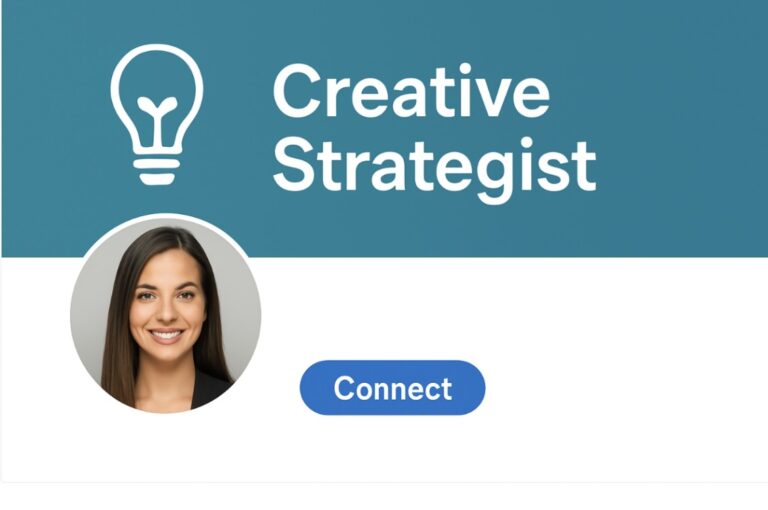
Topics to Be Covered : This article covers practical tips to design a compelling LinkedIn banner that builds your visual brand and boosts your professional visibility.
Table of Contents
Introduction
LinkedIn Banner Tips
Conclusion
FAQs Reference
Building a Winning LinkedIn Banner
In today’s competitive landscape, creating an online presence has become an equal necessity as creating a resume, and when we talk about online presence, the majority focus on improving their LinkedIn, the world’s largest professional networking platform. People say first impressions matter and what’s better than knowing about a person through online sources. While creating an impactful Linkedin profile, people often overlook one important detail that is the LinkedIn banner. It’s not a decoration, rather it’s important for visual career branding that can make you more approachable to recruiters.
Your LinkedIn banner is an important background picture for your Linkedin profile because it’s the first thing that gets noticed after your profile picture and forms an important part of your personal brand. It represents your values, professionalism and identity in a single glance. The banner should speak about your goals and agendas. A generic or blank banner is an opportunity you are missing out on.
5 Proven Tricks to Build a Winning LinkedIn Banner That Gets Noticed
LinkedIn Banner Tip #1: Make It Personal and Relevant
Your banner should show who you are professionally. For example, if you’re a techie, consider a design that includes modern or subtle graphics. A writer may include a typewriter, books, or a favorite quote. The banner should enhance your profile and not distract from it.
LinkedIn Banner Tip #2: Highlight Your Unique Selling Proposition
The banner should enhance your profile. You can include details like a tagline or slogan, your job title, or visuals that represent your industry so that your viewers have clarity of what you do
LinkedIn Banner Tip #3: Maintain Brand Consistency
You should stay consistent across various platforms, your personal brand should not differ. Use similar fonts , colours and themes if you use various platforms at once like a website, portfolio or a professional instagram. This helps you to make an instant digital presence and makes you recognizable across platforms. Tools like Canva and Adobe help maintain consistency by providing banner templates.
LinkedIn Banner Tip #4: Keep It Simple and Clean
Having many elements in your LinkedIn banner can confuse the viewers. Having a clear layout gives a better appearance. The text should not be hidden behind your profile picture and the banner should have a limited color palette. The visuals should be minimalistic to ensure appeal.
LinkedIn Banner Tip #5: Update It As You Grow
Your banner should evolve as you grow in your career. Updating your banner helps keep your profile fresh and shows to your network that are constantly. This also helps reflect necessary changes such as a new role, a new business or a project.
Conclusion
In the world of online networking, your LinkedIn profile plays a key role in your growth and the banner forms an integral part for visual career branding. It’s a small change that can make a big difference and can elevate your profile from ordinary to outstanding, therefore it should be crafted by choosing a banner that captures your professional essence. It should be intentional, personal, and memorable.
FAQs
1. Why is a LinkedIn banner important?
A LinkedIn banner visually introduces your professional brand and sets the tone for your profile, making your first impression stronger and more memorable.
2. What size should my LinkedIn banner be?
The recommended size for a LinkedIn banner is 1584 x 396 pixels. Using the correct dimensions ensures your image displays correctly on all devices.
3. What should I include in my LinkedIn banner?
Include visuals or text that reflect your profession, values, or achievements—like a job title, tagline, industry-related imagery, or branding colors.
4. Can I use a personal photo as a LinkedIn banner?
Yes, but ensure it’s professionally relevant. For example, a speaker can use an image from a conference; a designer can showcase their work background.
5. How often should I update my LinkedIn banner?
You should update your LinkedIn banner whenever there’s a major career update—new role, project, or personal rebranding—to stay current and relevant.
References
[1] “Expert Logo Design Tips for Professional Branding ”,strikingly.com. [Online]. Available: https://www.strikingly.com/blog/posts/expert-logo-design-tips-professional-branding
[2] “5 Reasons To Use Banners and Standing Banner Displays”,medium.com. [Online]. Available: https://medium.com/%40PrintsLA/5-reasons-to-use-banners-or-standing-banner-displays-at-conferences-669bc3d824e1
[3] “Step-by-Step Career Vision Board for Introverts: See Results Fast”,anagoehner.com. [Online]. Available: https://anagoehner.com/step-by-step-career-vision-board-for-introverts-see-results-fast
Penned by Aditi Gupta
Edited by Shashank Khandelwal, Research Analyst
For any feedback mail us at [email protected]
Streamline Your Hiring with Eve Placement’s Custom Assessments
Eve Placement helps you engage, assess, and recruit top talent through tailored hiring challenges that go beyond resumes. From technical quizzes and real-world case studies to psychometric evaluations and audio/video submissions, our platform enables smarter, data-driven hiring decisions. Advanced security features ensure authenticity and eliminate fraud, giving you reliable results. Ready to hire better? Know More.
Mail us at [email protected]